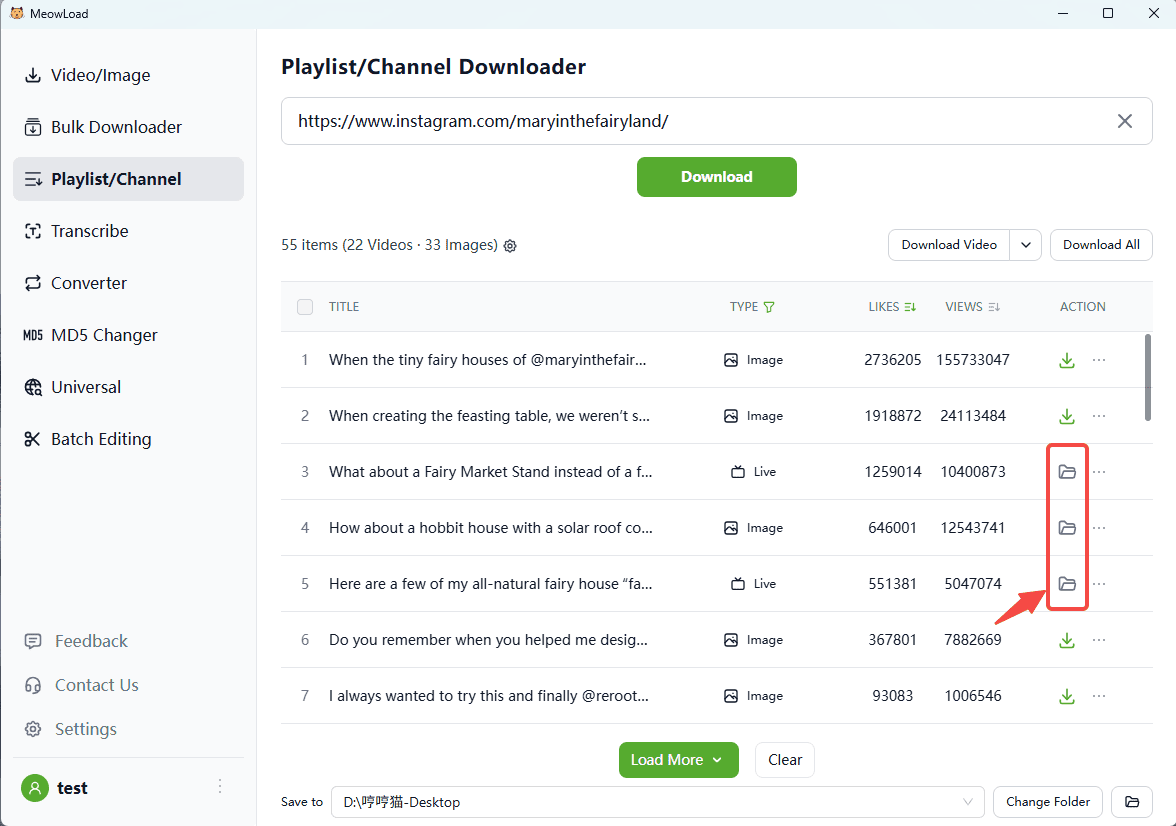
Have you ever found a creator's page so inspiring that you wanted to download all their work for offline viewing or study? However, many platforms make this difficult. Even when downloads are permitted, manually saving each file one-by-one is such a hassle. That's why I recommend MeowLoad—a powerful tool built for effortless bulk downloading. It supports over 1,000 websites, including Instagram and YouTube.
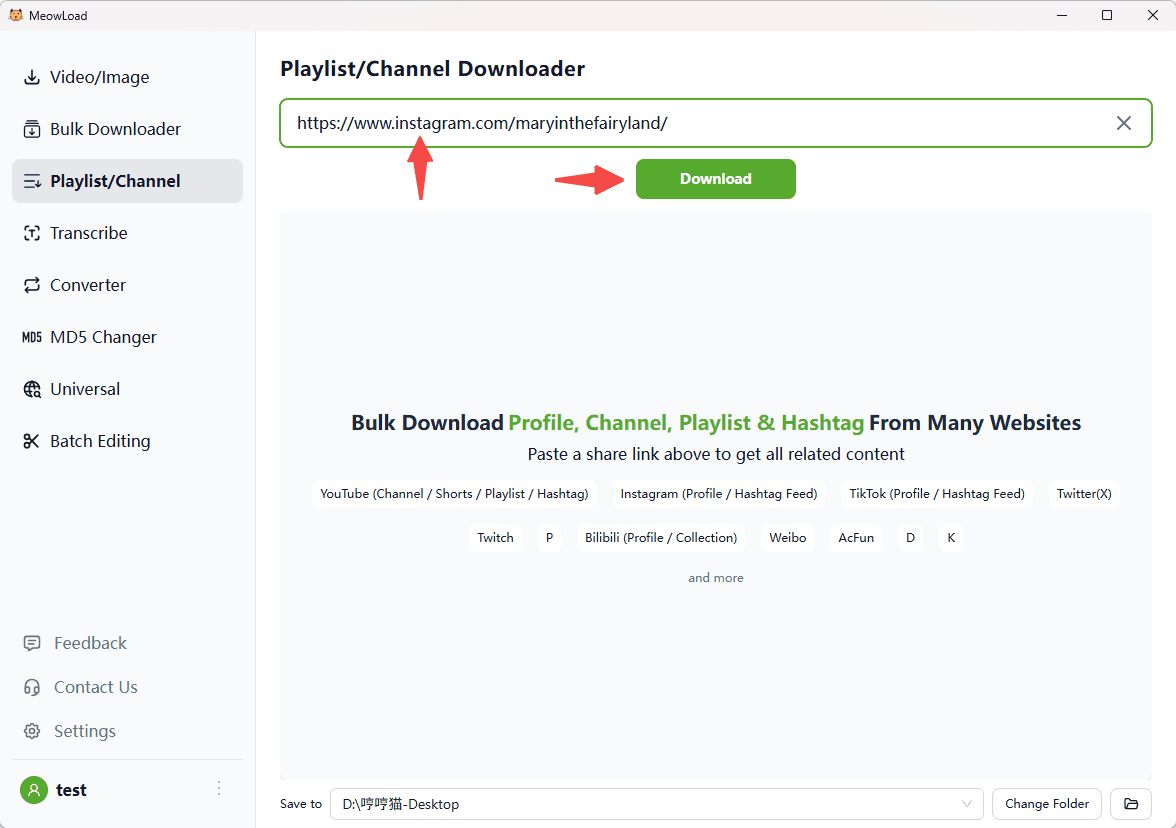
🟠Step 1: Paste the profile link
Whenever you find an interesting creator, just copy and paste their profile link. MeowLoad will instantly recognize all downloadable media.
🟠Step 2: Customize your results
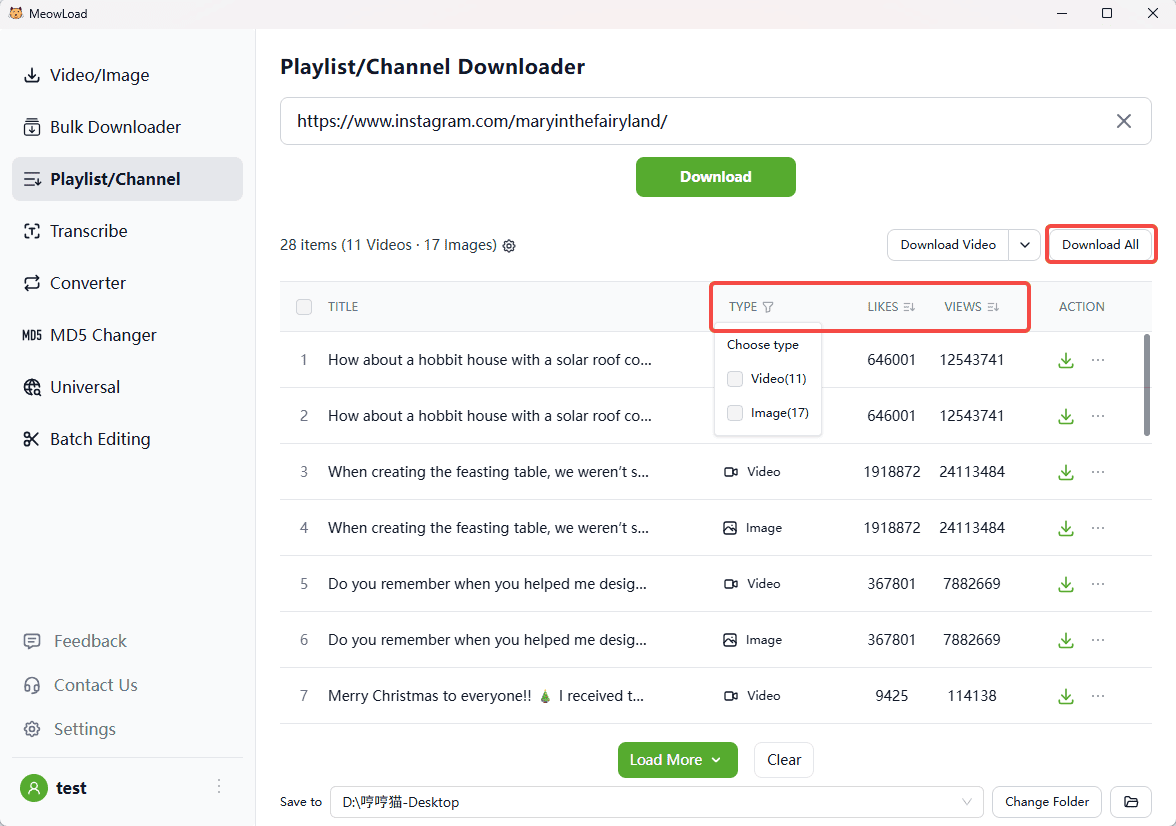
After the scan, you can filter by media type (video, audio, or image) and even sort the results by views or likes. Need more? Click 'Load More' to fetch additional content.
🟠Step 3: Pick your favorites
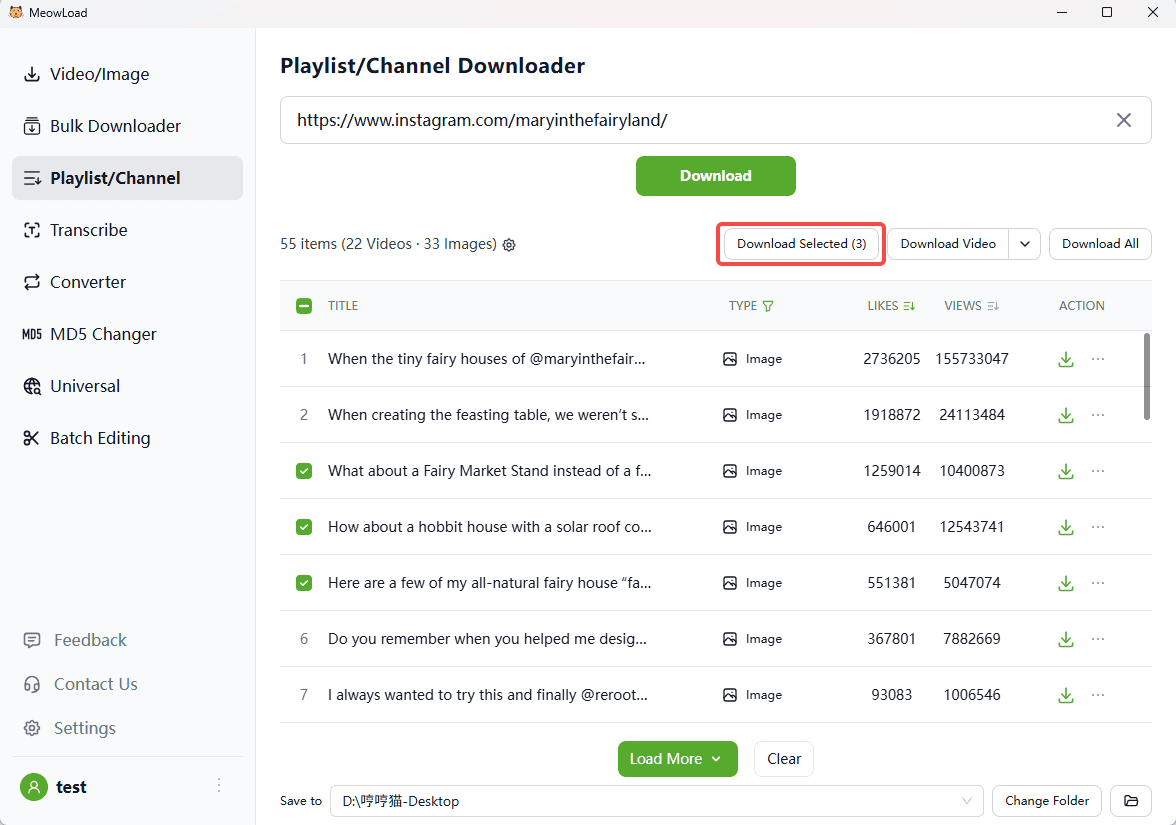
If you only want images, use the filter to display them, select the ones you like, and you're ready to download!
🟠Step 4: All set!
Once the download is complete, click the folder icon to check out your files.